Your Brand Colors,
Always One Click Away
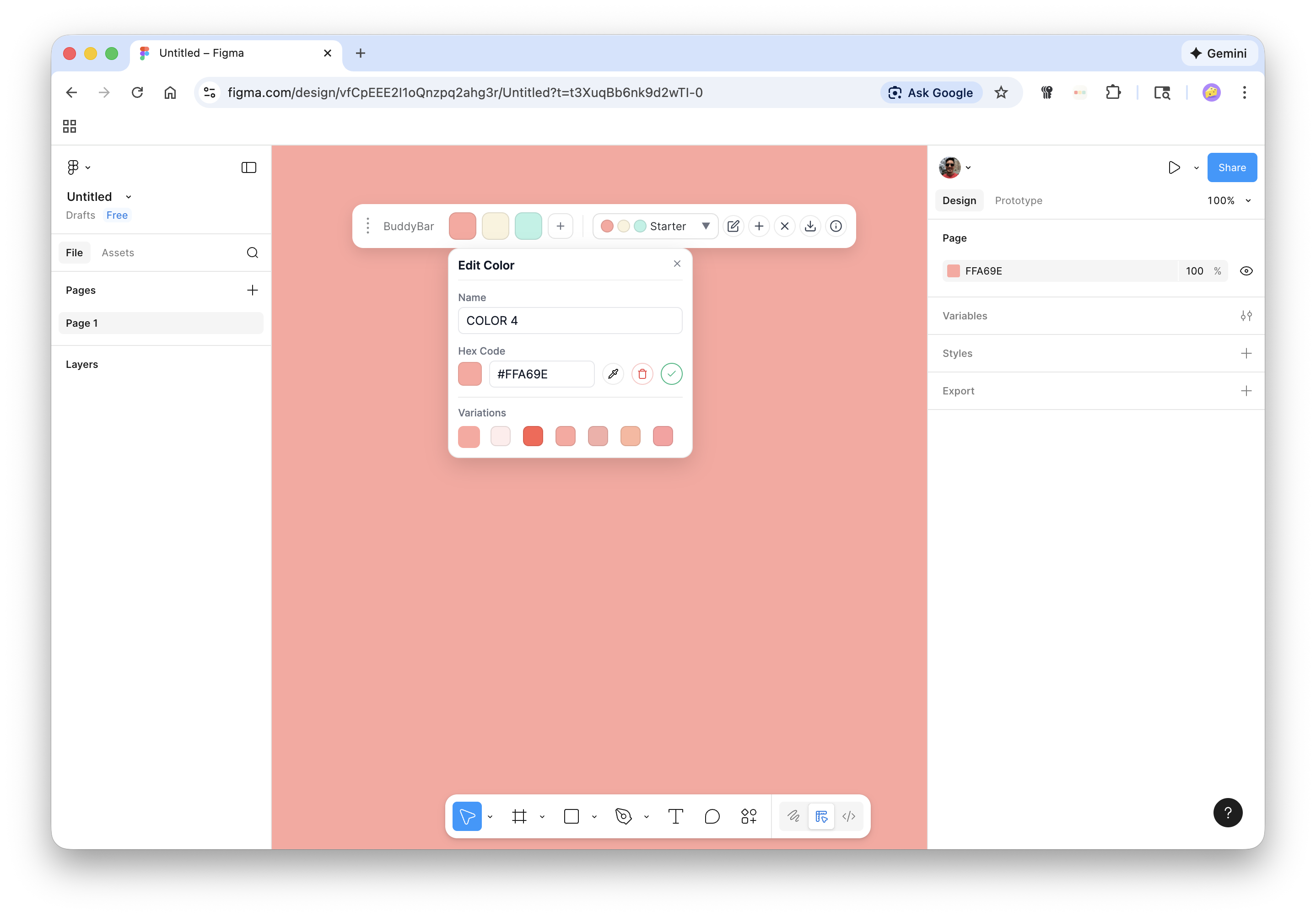
A simple color palette that floats alongside your design tools. Copy hex codes instantly. Keep brand consistency effortless.
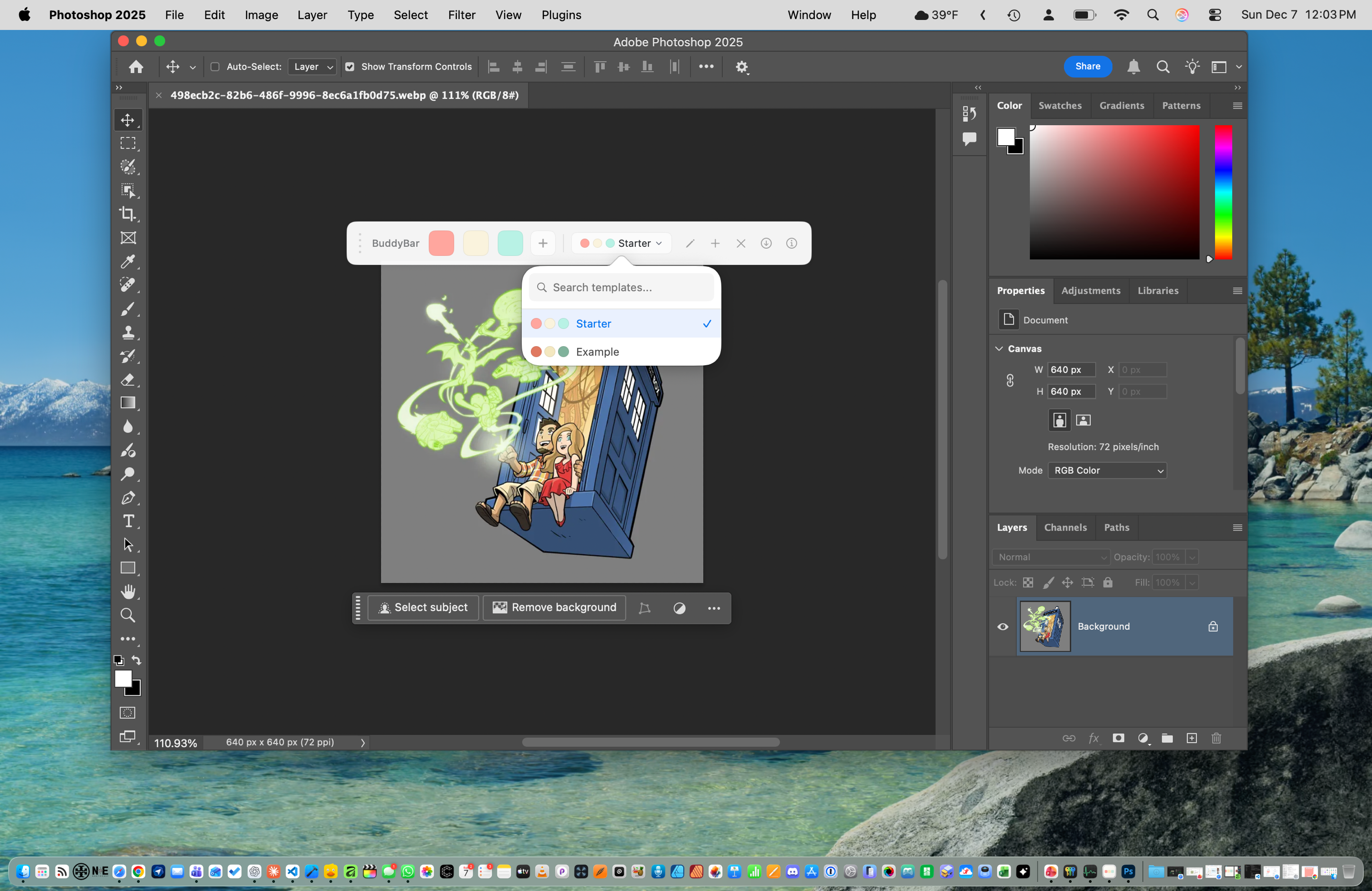
A simple color palette that floats alongside your design tools. Copy hex codes instantly. Keep brand consistency effortless.
No learning curve. Just your colors, always accessible.
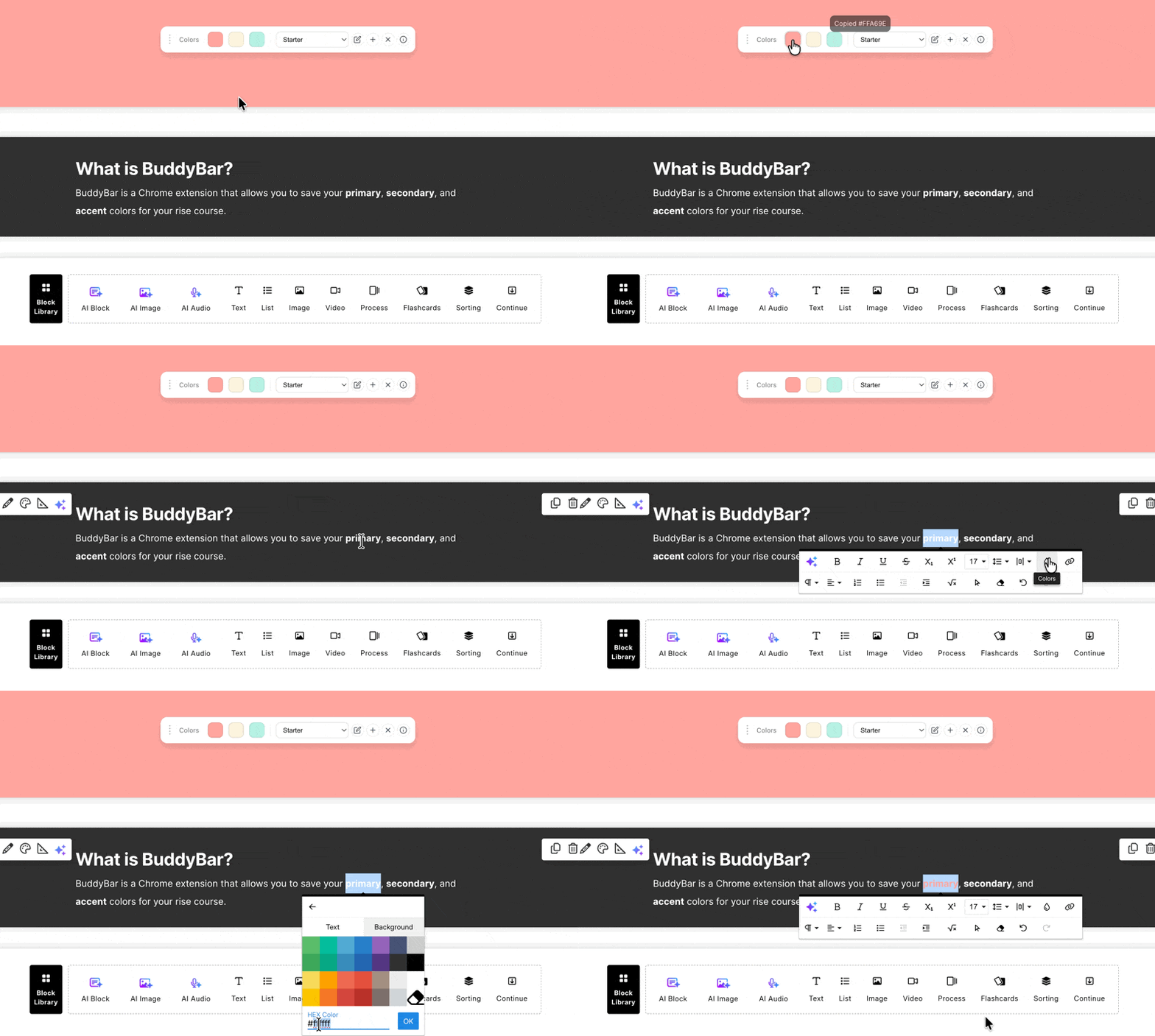
Click any swatch to copy the color code. Choose your format in settings: HEX, RGB, HSL, or CSS variable. Paste it anywhere.
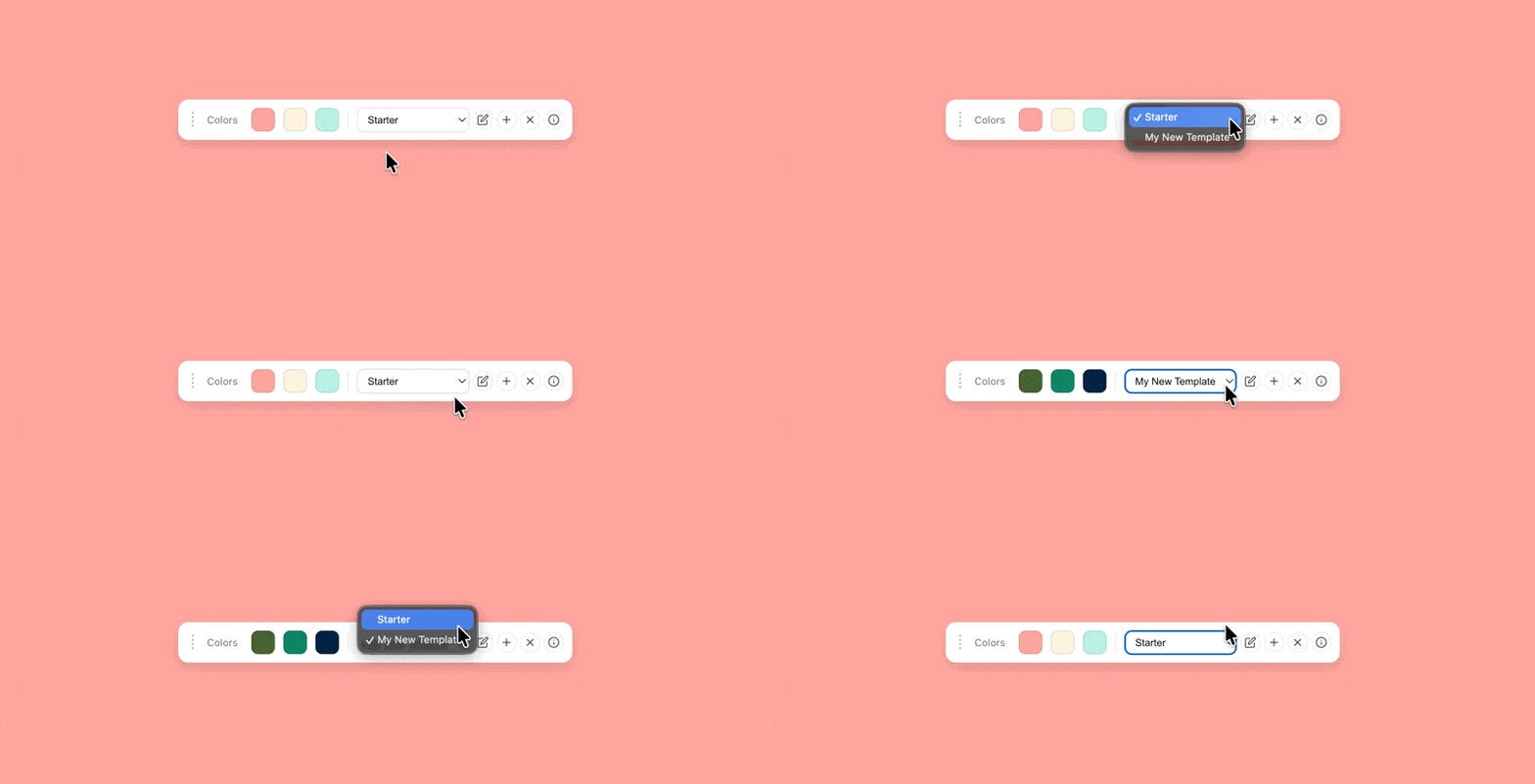
Add as many colors as you need. Organize them into templates for different brands or projects. Drag to reorder.
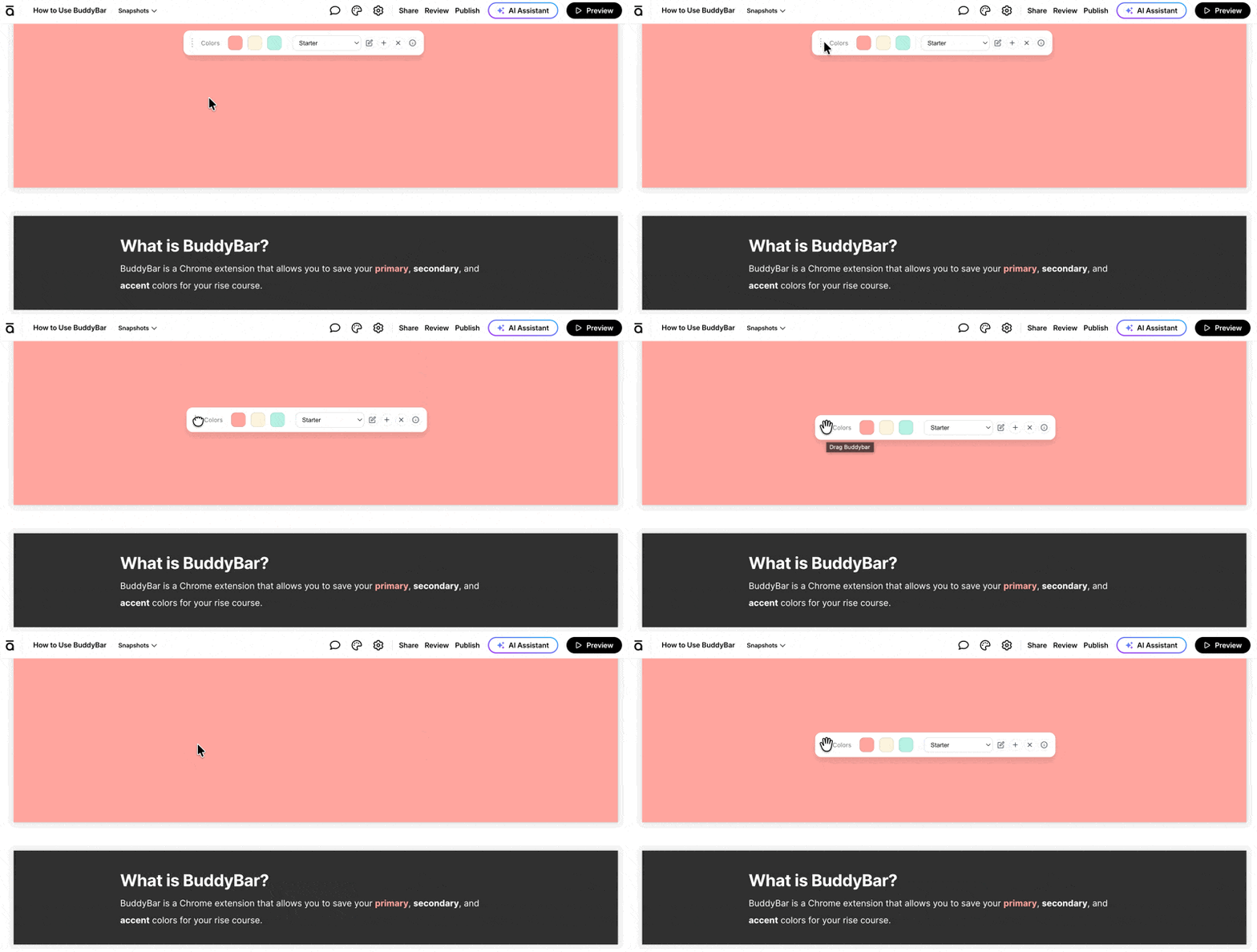
Position BuddyBar wherever works best for your workflow. Use the keyboard shortcut to show/hide instantly (Ctrl+Shift+B on all platforms).
Download templates as .buddybar files and share them with your team. Drag to import. No account needed.
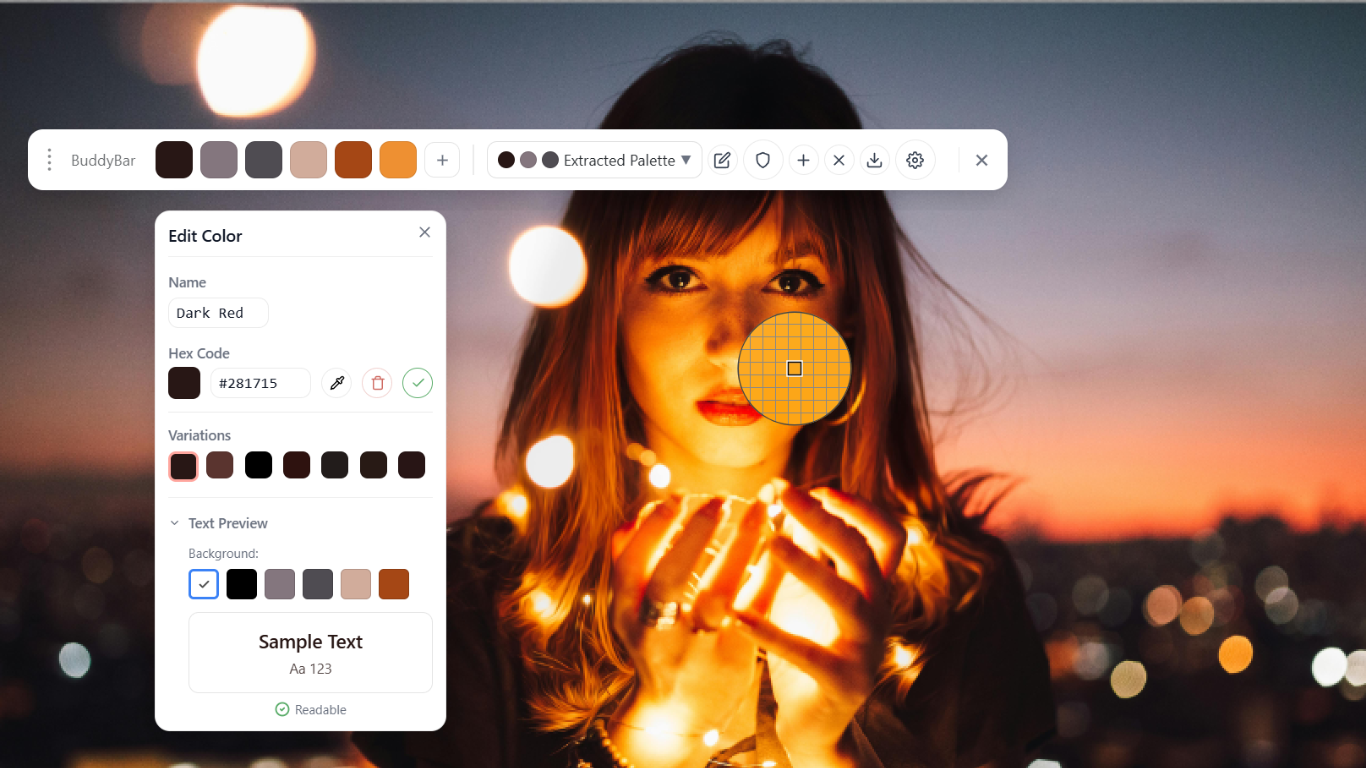
Preview your palette the way color-blind users see it, generate dark versions automatically, and grab colors from any page.
Preview your palette through different types of color vision, with plain-English warnings when two colors look alike. Make sure your design works for everyone.
Generate a dark-background counterpart of any template in one click, with readability automatically fixed so every color still reads.
Your last 8 copied colors are always one click away in the overflow panel. Click any one to copy it again — no digging through templates.
Pick any color straight from the page with the built-in eyedropper, or grab a whole page's main colors into a new template with one click.
Lock colors, explore shades, audit your palette for harmony, and fix contrast issues in one click.
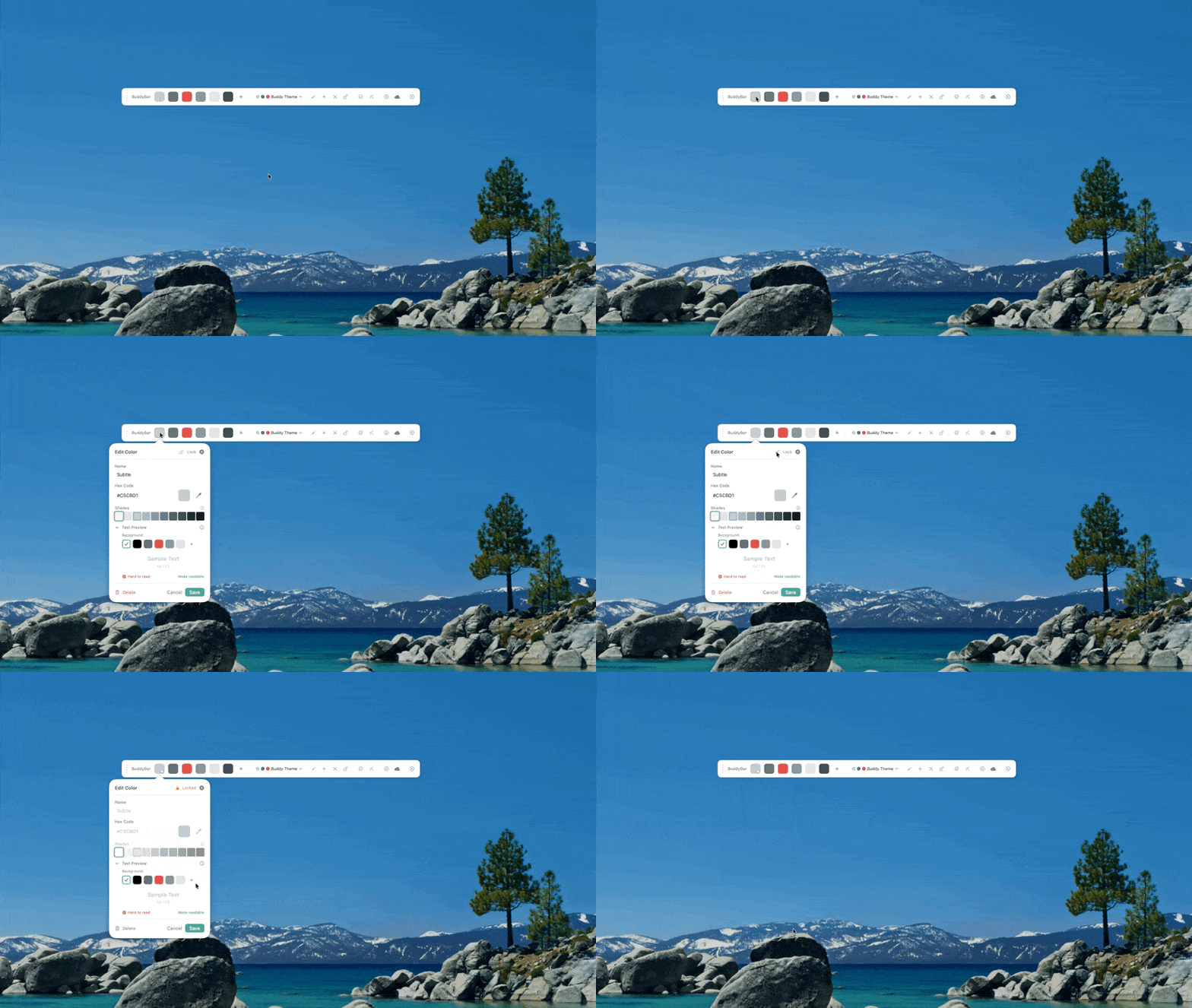
Lock individual colors or entire templates to prevent accidental edits. Perfect for finalized brand palettes and shared team colors.
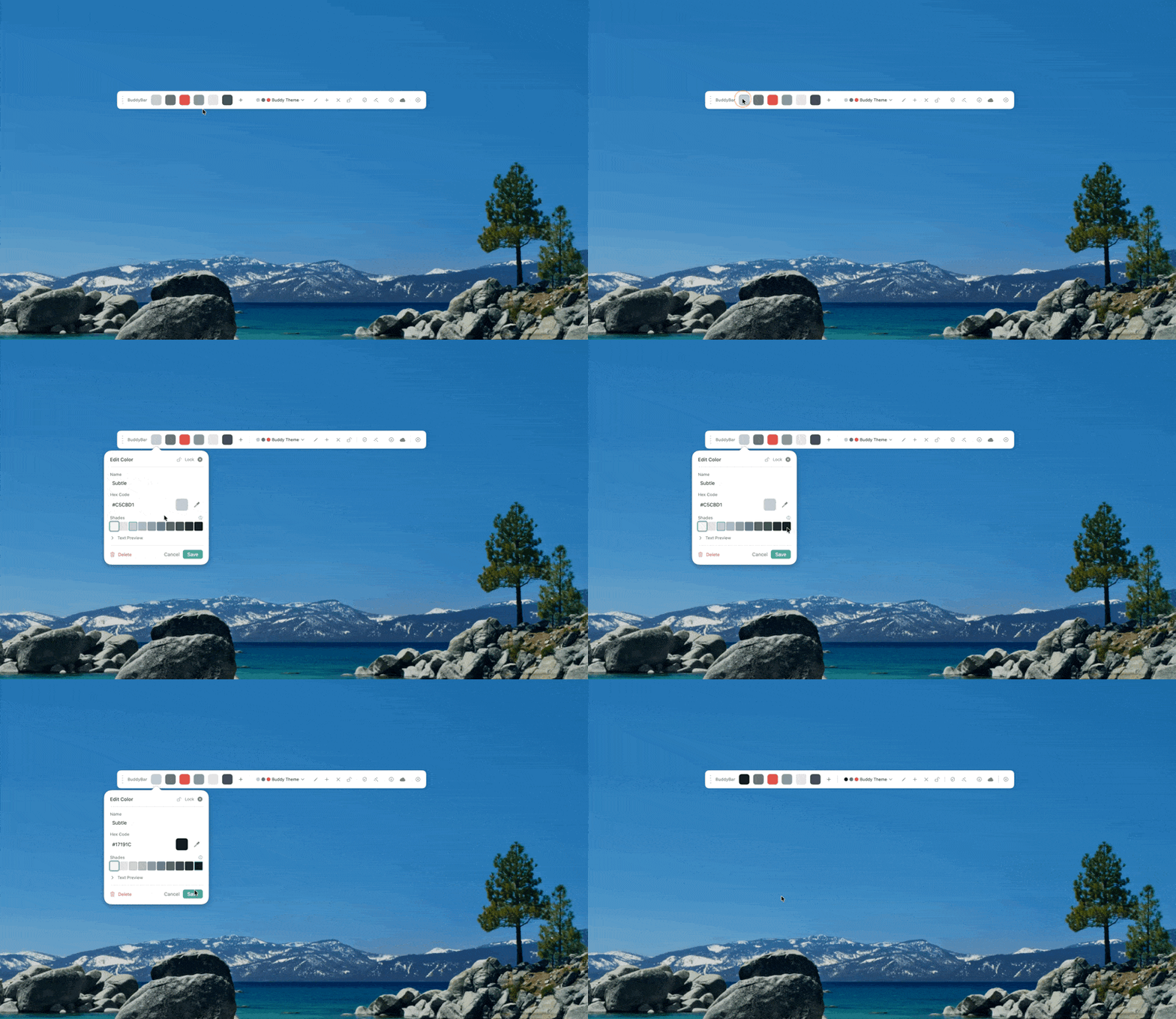
See 10 lighter-to-darker variations of any color instantly. Click any shade to copy it. Great for building consistent tonal scales.
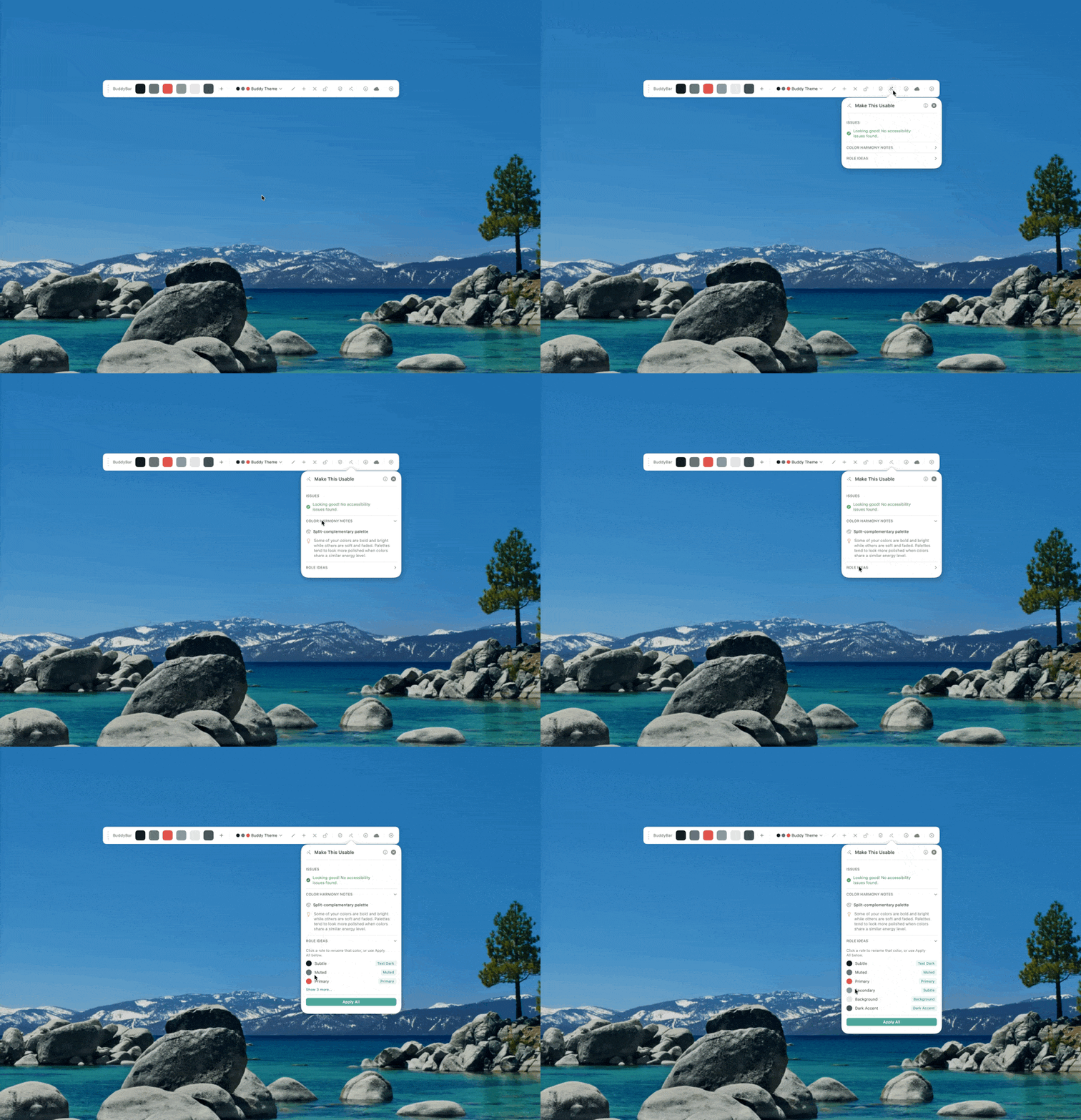
One-click palette audit. Finds near-duplicate colors, checks contrast, analyzes color harmony, and suggests roles like Primary, Accent, and Background.
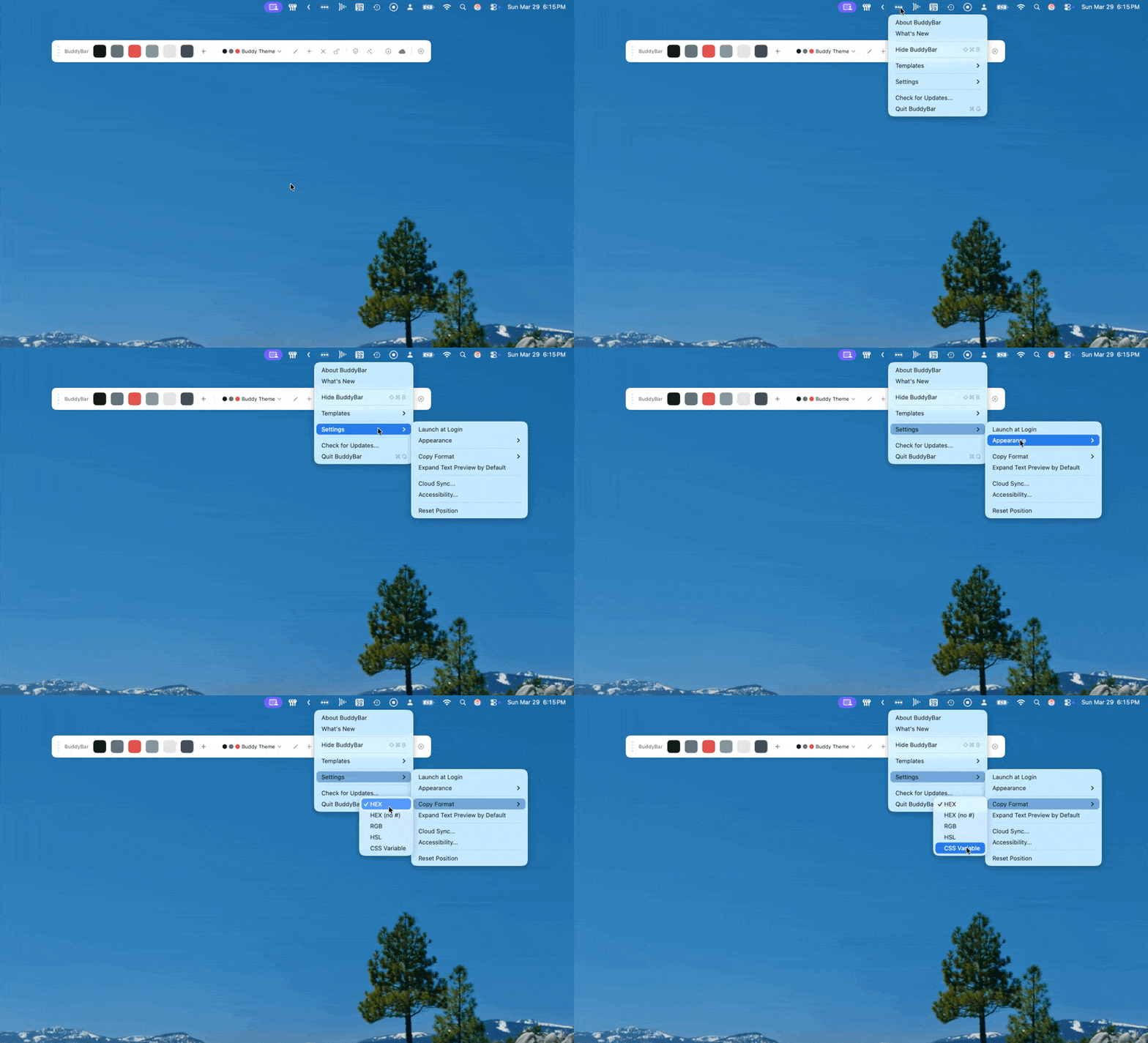
Copy colors as HEX, RGB, HSL, or CSS variables. Pick your default format in settings and every swatch click uses it automatically.
Pick the option that fits your workflow — or use all three for seamless sync
For browser-based design tools
Works with:







Any app on your Mac • macOS 14.6+
Works everywhere:
Photoshop, Illustrator, InDesign, Affinity, Sketch, Procreate, Microsoft Office, Keynote, Pages, Numbers, and literally any app where you need colors.
Any app on your PC • Windows 10+
Works everywhere:
Adobe Photoshop, Illustrator, After Effects, Captivate, Articulate Storyline, Blender, Office, and literally any app where you need colors.
Use them together? Colors sync automatically between Chrome and your desktop app on the same computer. Cloud sync keeps multiple devices in sync:
"Super handy! I use it with Articulate Rise, and it's great for keeping multiple brand colors handy. Much easier than repeatedly cutting and pasting hex codes!"
"Love this extension! My old work arounds for saving hex codes was pretty clunky and disorganized. Having the ability to make different templates for different projects is a huge convenience. Also its nice and clean. Thanks!"
Join designers, marketers, and creators who use BuddyBar to maintain perfect brand consistency across every tool.
Use all three for automatic sync — no account required
One set of brand colors for your whole team — always current, on every computer.
No spam — one email when Teams is ready, nothing else.
You're on the list! We'll email you when Teams is ready. 🎨
Something went wrong — please try again, or email us via the support page.